How I Use TickTick with Claude
Over the last few months, I made several big changes to my TickTick productivity workflow using the newly launched TickTick MCP. With every passing month, I find myself using Claude Code more often than TickTick's native mobile and web apps.
In this blog post, I will walk you through my various productivity experiments, tell you about my outsized productivity gains and bring attention to various privacy concerns while using this technology.
Let's get started.
The Setup
TickTick already has a fantastic setup guide, so I won't spend too much time explaining.
Once you connect Claude with TickTick and authenticate, you can access TickTick MCP from all Claude clients, including:
Claude web app
Claude desktop app
Claude mobile apps (both iOS and Android)
Claude Code (through CLI)
In all my experiments, this was the biggest productivity booster. I don't need to stay restricted to one device. Instead, I can start my workflow on one (say my laptop) and continue working on another (say my phone).
The First Experiment
I am a power user of Claude Code, so naturally that's where I started.
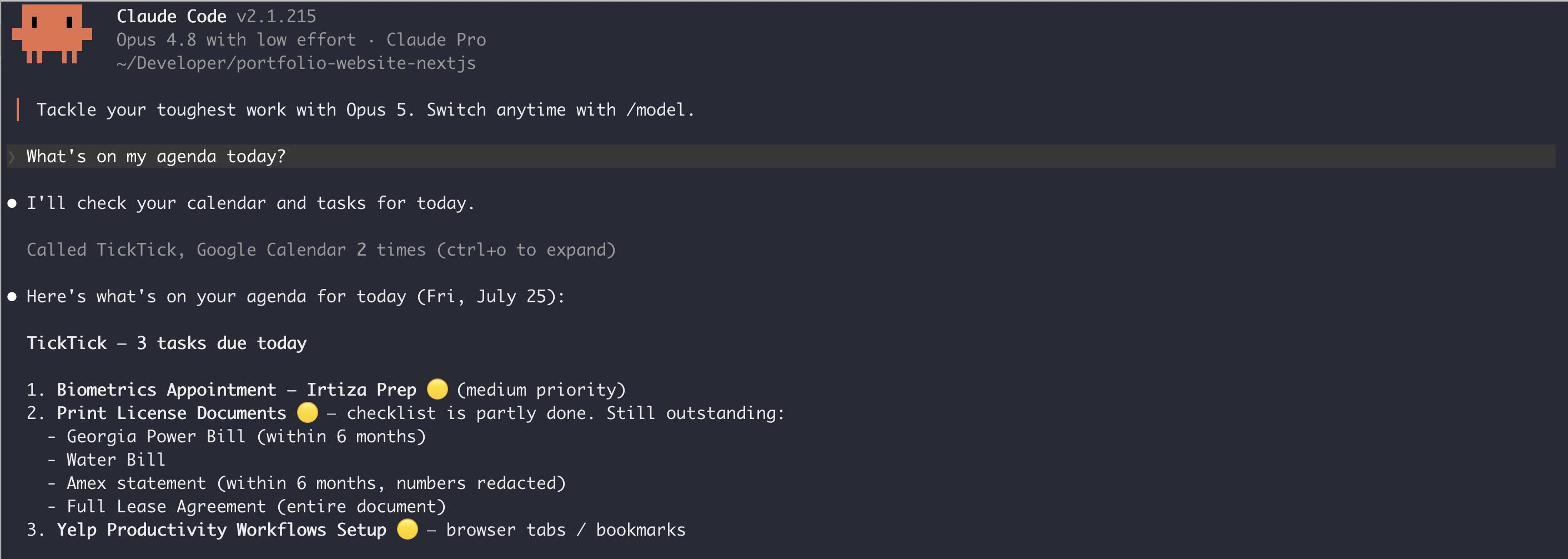
Easy. It correctly identified all of today's tasks.
Next, I asked Claude about my week ahead, and it did a great job as well. So it performed great in all basic READ operations.
Next, I moved my attention to WRITE and UPDATE operations. Not only did Claude seamlessly create new TickTick tasks, but it correctly read them back as well.
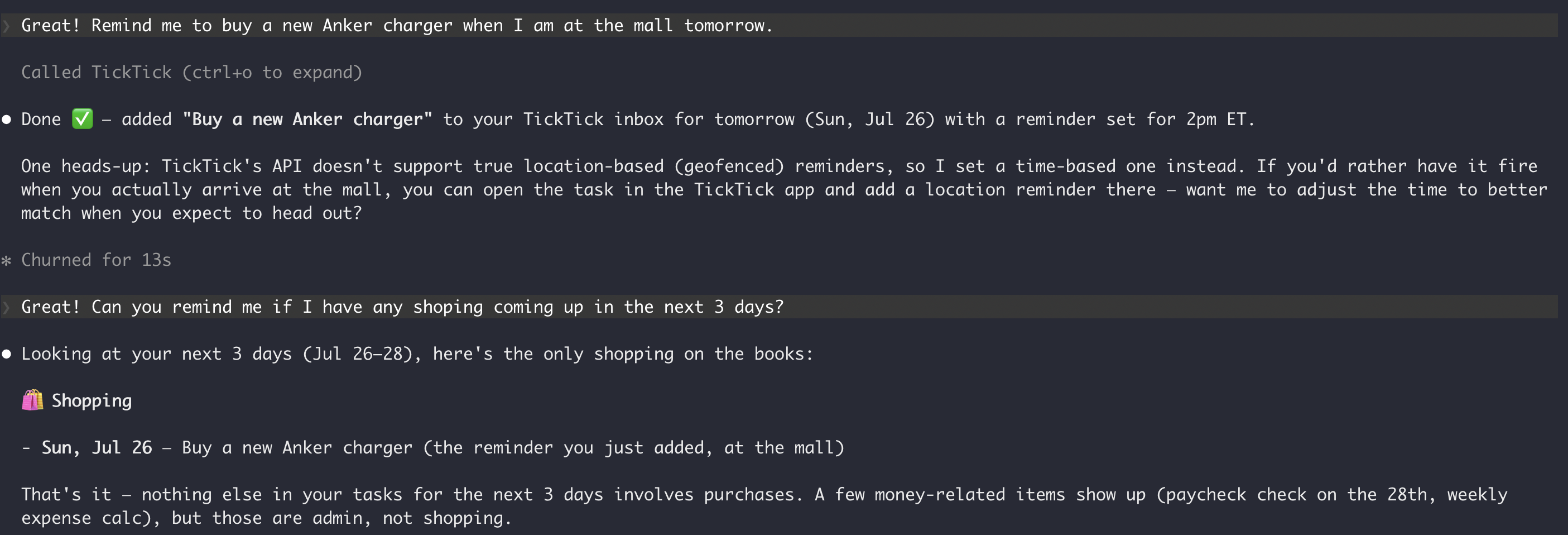
Not only that, but if I need to change dates, I can naturally ask Claude to update, without being specific about task name or task IDs.
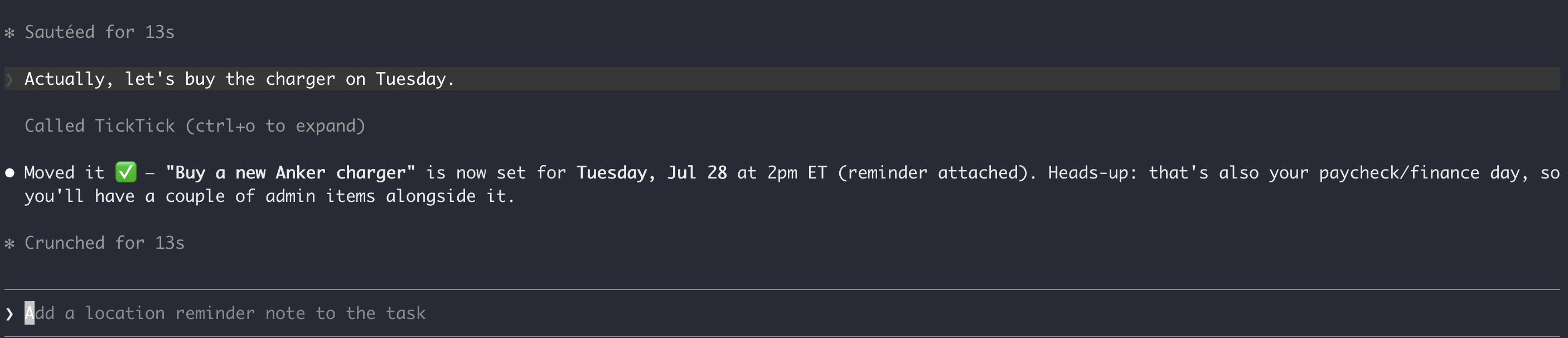
So first experiment went great! Claude could do all of these:
Read daily and weekly agenda
Group tasks by priority and task group
Look ahead to next week and identify tasks that require early preparation
However, I am still restricted to my laptop's terminal. I frequently use TickTick on my phone for quick capture. How should I handle that?
Enter — Claude Mobile App.
The Second Experiment
I quickly downloaded the Claude app on my Pixel 9. To my surprise, it retained my TickTick MCP connection, so I could immediately use Claude on my phone, hooked to all my TickTick tasks.
Fantastic! (but privacy concerns...more later).
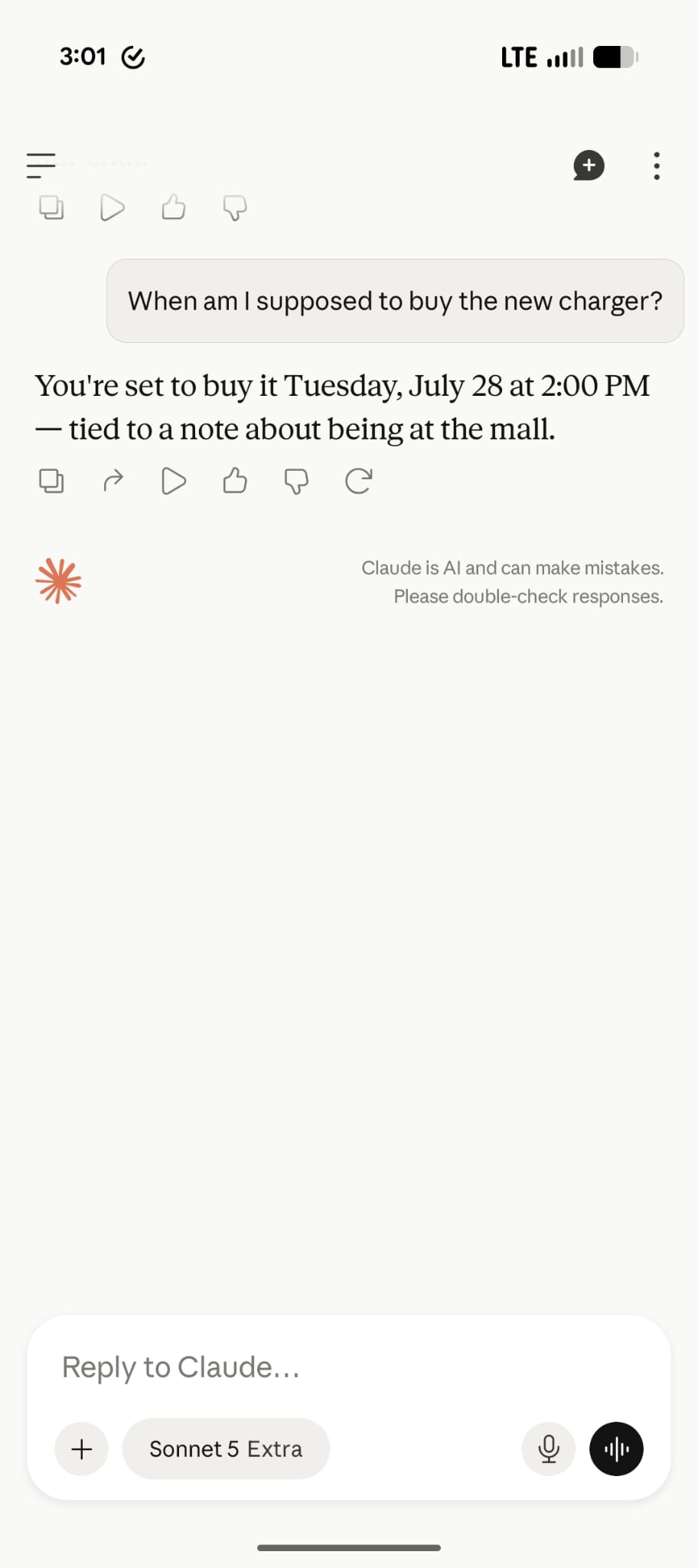
Now I can start questioning Claude on my laptop, and seamlessly switch to my phone when on the go. That works perfectly!
At this point I was certain that Claude + TickTick MCP can be my personal digital assistant.
But there was one more experiment to run.
The Third Experiment
One of my biggest TickTick use cases is "quick capture", especially during software development.
As I work on my side projects, feature ideas frequently come to my head that need to be jotted down somewhere for later.
Previously, every time this happened, I had to context switch, open TickTick on my laptop or phone to capture the thought, then switch back to coding.
But now — can I do all that through Claude Code on my terminal? Let's see.
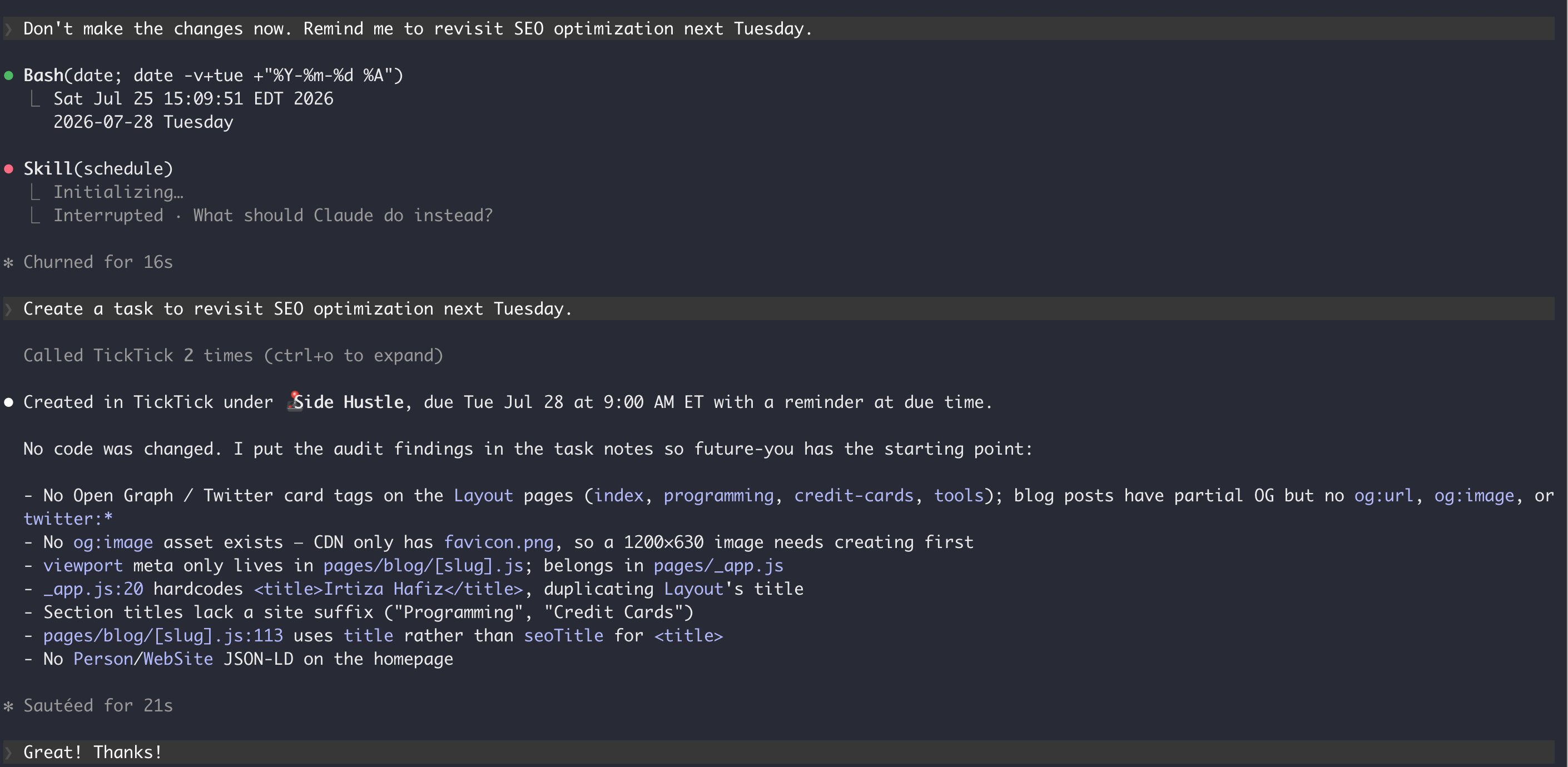
Yup, that worked! While working on Terminal, iTerm or even VS Code, I can seamlessly ask Claude to add TickTick tasks.
However, you will notice that Claude did not immediately recognize this was a use case for TickTick MCP. Instead, it tried to create a cron job locally.
So I need to give Claude instructions to always use TickTick MCP for task-like prompts.
Yes, I could easily add system instructions in a CLAUDE.md file. However, I wanted something more precise.
The Final Experiment
As my final step, I created a Claude Skill called ticktick-assistant that defaults to using TickTick MCP for any task-related prompts.
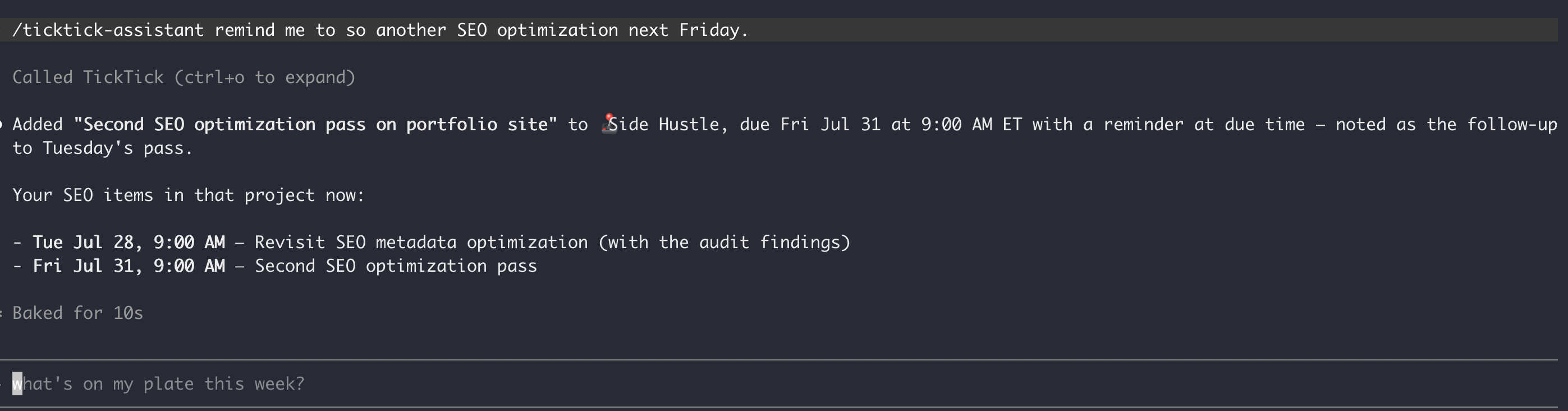
With this my setup was complete. Now I can do all the following:
Interact with TickTick on all Claude clients, both desktop and mobile
Seamlessly read, create or update tasks
Integrate TickTick with my coding workflows
Make sure Claude always uses TickTick MCP for task-related queries
Privacy Concerns
Although the setup worked perfectly for all cases, there was one glaring issue — privacy.
By default, Claude clients are always connected to Anthropic servers. All the processing happens on Anthropic's machines.
So, Anthropic and their models have access to all my personal and professional tasks. It can use my private data to train their models, advertise to me, etc.
Although I am comfortable with Anthropic having access to my coding projects (they are on GitHub anyways), I don't feel safe giving it access to my private, personal tasks.
Yes, I know TickTick already has access to everything, but that was an intentional decision because I didn't find any similar local task management app.
I would love to tell you that I found a way around this, but unfortunately, I haven't. At least not while retaining the full feature set across all my devices.
Right now I am experimenting with a setup that uses Claude Code UI, but instead of Anthropic's models, it uses locally running LLMs. Once I have tested the flow, I plan on writing about it, maybe in the next few weeks.
Closing Thoughts
That's all for today.
I hope you can try out this setup and get the same productivity benefits that I did.
If you give it a try, I would love to hear about your experience.
Similar Posts
July 25, 2026
How I Use TickTick with Claude
A month of experiments connecting Claude to TickTick via MCP — the productivity wins, the coding workflow, and the privacy tradeoff I haven't solved.
July 27, 2026
How I Use Obsidian with Claude
My lightweight Obsidian vault setup, and how I layered Claude Code, Claude Desktop, and a custom Skill on top to turn it into a digital assistant.
August 17, 2026
The $0 Google Gemini Productivity System
How I migrated my entire productivity stack to Google products and put Gemini on top to automate the busywork, all for free.
July 30, 2026
Use Private LLMs with Obsidian and TickTick
How I solved the privacy problem in my Obsidian and TickTick workflows by running local open-source models through LM Studio — including Claude Code with zero calls to Anthropic.